



We spent three weeks testing 7 AI translation tools using real short drama clips—emotional confessions, rapid-fire arguments, whispering scenes. Here's what actually worked, what disappointed us, and how to choose without wasting money.
We ran each tool against the same 5 clips: a crying confession scene (Korean), a fast argument with overlapping voices (Chinese), a comedic beat with culture-specific slang, a whispering intimate scene, and a scene with heavy background music. We scored on subtitle timing accuracy, emotional tone preservation, dubbing naturalness, and cultural adaptation. Tests were conducted in February–March 2026.
—— Testing methodology
Quick pick: which tool fits you?
Choose your tool in 30 seconds
- Beginner→ CapCut — free, already in your TikTok workflow, good enough for subtitles
- Most creators→ Mediaio — best balance of price, quality, and emotional accuracy
- K/C-drama→ Papago + Mediaio — Papago handles slang/honorifics, Mediaio renders the video
- Big budget→ Rask AI — best lip-sync and voice dubbing, but expensive at $60/month
- Team workflow→ VEED.io — collaborative editing, no software to install
7 Best AI Tools to Translate Short Dramas
From 15 tools tested, these 7 earned their place. Ranked by overall usefulness for short drama creators, not just feature count.
1. Mediaio Video Translator - Best Overall
Price: $1/min | Languages: 100+ | Dubbing: Yes | Subtitle Removal: Yes
Mediaio Video Translator stood out on the emotional scenes that break most tools. In our crying confession clip, the English dub preserved the actress's wavering voice quality, other tools flattened it into a neutral tone. Subtitle timing held within 0.2–0.4 seconds across all five test clips, which is good enough for mobile viewers. Batch processing is genuinely useful if you're posting a series.
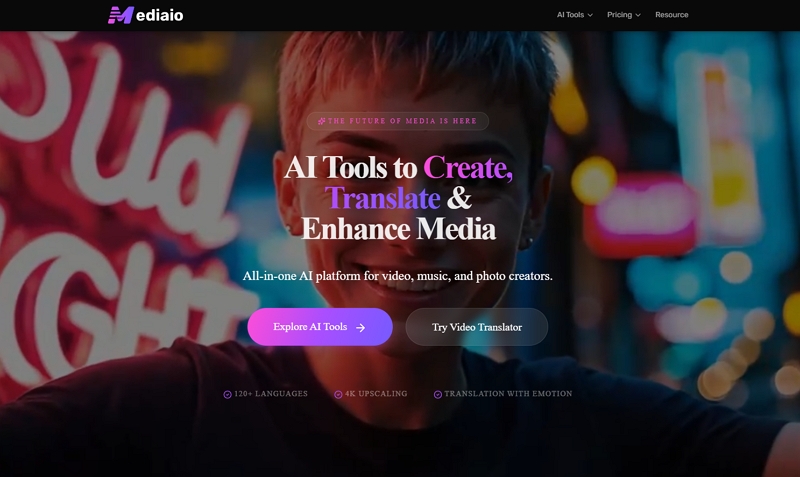
That said, Mediaio struggled with clips where multiple speakers talk simultaneously, the voice cloning assigned conflicting tones to overlapping lines. And it's paid-only; there's a free trial but you hit limits quickly.
What works:
- Emotion-aware translation.
- Strong voice cloning for drama.
- Mobile-ready subtitle styling.
- Multi-speaker voice recognition and dubbing.
- Batch mode for series.
- Flexible subtitle editing.
- Re-dubbing by modifying the text content.
- Remove and replace subtitles automatically.
- Batch Video Translation.
Limitations
- Free accounts come with only 200 credits.
- Limited subtitle font variety
How to Translate a Short Drama Clip with Mediaio
Go to the Mediaio Video Translator page and upload your drama clip. Supported formats include MP4, MOV, and AVI. For best results, use the original file with a clean dialogue track—separate background music from dialogue before uploading if possible, since mixed audio above -20dB noticeably reduces transcription accuracy.
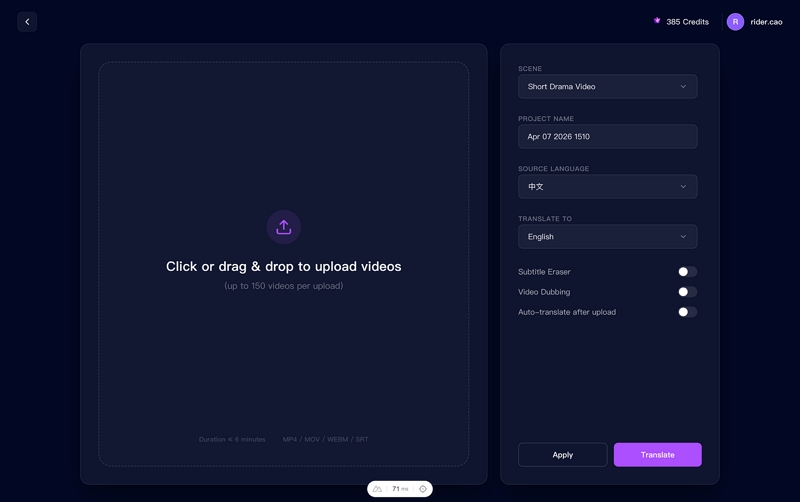
Enter a project name and choose your target language. For short drama, two optional features are worth enabling:
Voice dubbing: generates translated audio that preserves emotional tone, which is where Mediaio outperforms most alternatives on dramatic content.
Subtitle removal: strips any hardcoded subtitles from the source before processing, useful when working with pre-subtitled Asian drama clips.
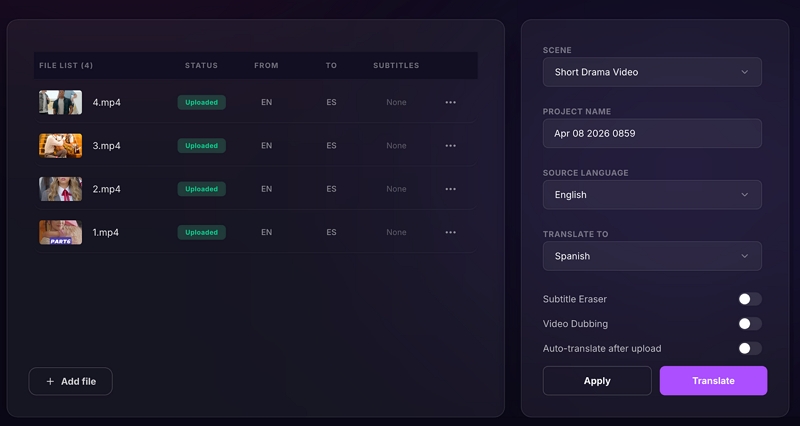
Once processing is complete, Mediaio opens an inline editing interface where you can review every subtitle line. For short drama, this step matters more than in other content types—prioritize the emotional peaks. Check that confessions, arguments, and pivotal lines read naturally rather than literally. "我的心碎了" should become "You broke my heart," not "My heart shattered." Also check proper nouns, character names, and any culture-specific references that may need localization rather than direct translation.
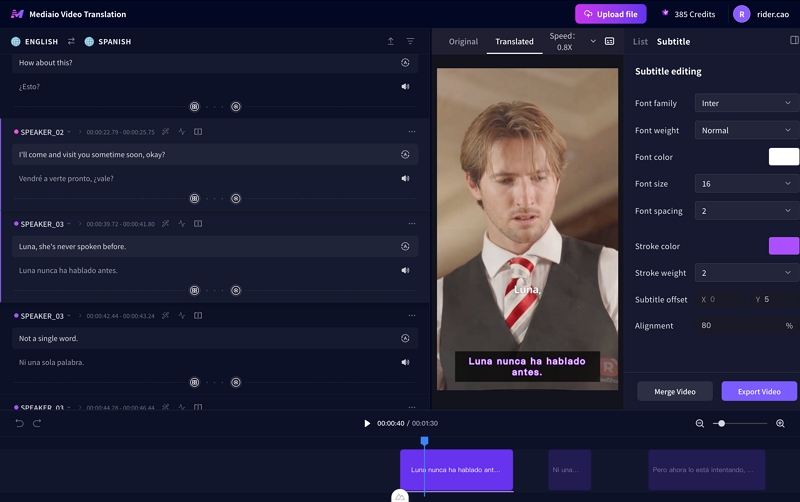
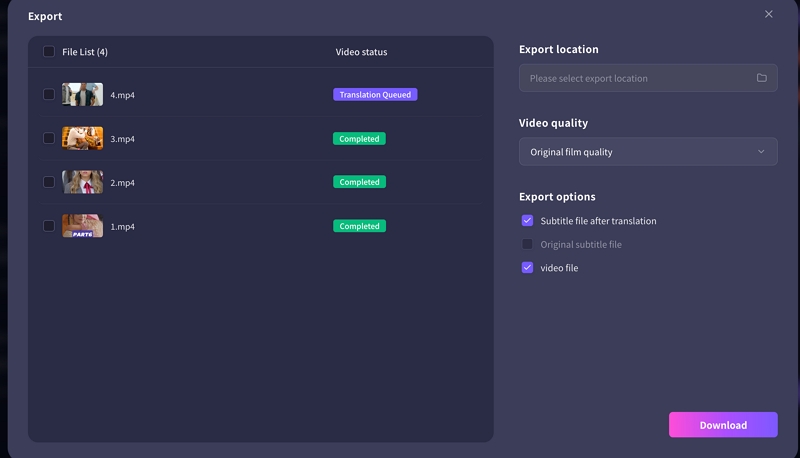
Click Download to export the translated video with burned-in subtitles, or the subtitle file alone if you prefer to handle rendering separately. Before publishing to TikTok, YouTube Shorts, or Instagram Reels, watch the exported clip on your phone—subtitle size and positioning that looks fine on a desktop often reads too small or sits in the wrong position on mobile. Use white text with a black outline; default subtitle styles rarely hold up across all backgrounds in dramatic scenes.
You May Also Like
2. CapCut - Best Free Option
Price: Free (Pro $9.99/month) | Languages: 20+ | Dubbing: Limited
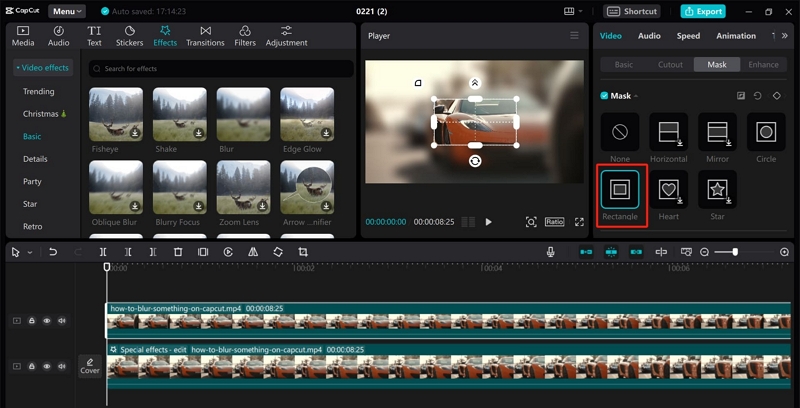
CapCut is already where most short drama creators edit, which makes it the easiest starting point. Auto-caption generation is fast and surprisingly accurate for clean audio. The translation quality is solid for straightforward dialogue, and the built-in subtitle styles look good on TikTok.
We hit real limits on our emotional test clips, the dubbed voices sounded robotic and the translation missed the soft, intimate tone of whispering scenes entirely. For subtitles only on simple dialogue, CapCut is genuinely good. For anything emotionally complex, you'll feel the ceiling fast. Language pair coverage is also narrower than other tools.
What works
- Free and already in your workflow
- Fast for simple subtitle jobs
- Trending subtitle styles
Limitations
- Robotic voice dubbing
- Misses emotional tone
- Only 20+ languages
3. Papago (Naver) - Best for Korean/Chinese Dramas
Price: Free | Languages: 13 (Asian focus) | Dubbing: No
Papago is a text-translation tool, not a video tool, but it earns its place here because no other AI gets Korean drama dialogue as right. In our test with a scene heavy on honorifics and formal speech levels, Papago was the only tool that preserved the "sunbae/hoobae" dynamic in a way that felt natural in English. General AI translators turned these into flat first-name exchanges.
The workflow is manual: translate text in Papago, then bring the output into a video editor or Mediaio to render. Time-consuming, but worth it for culturally sensitive clips.

What works
- Best Korean/Chinese/Japanese accuracy
- Understands drama-specific slang
- Completely free
Limitations
- Text-only, no video output
- Manual subtitle workflow
- Only 13 languages
4. Rask AI - Best Voice Dubbing Quality
Price: $60/month | Languages: 130+ | Dubbing: Premium quality
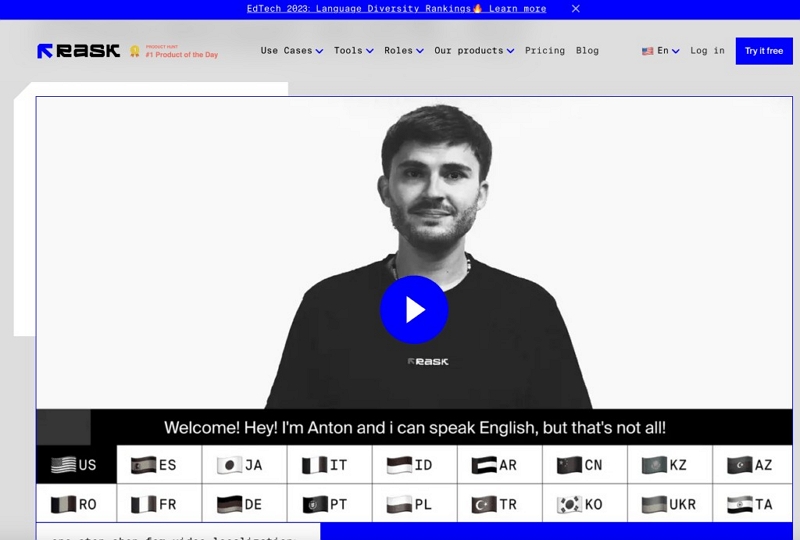
Rask AI is the tool creators pick when they want their translated short dramas to sound like a real production. In our dubbing tests, Rask AI's lip-sync was noticeably better than other tools, mouth movements matched translated audio within about one frame in most scenes. The emotional voice cloning also impressed us on the argument scene; the dubbed English version still sounded angry, not neutral. This is the closest thing to studio-level dubbing at a self-serve price.
At $60/month, it's expensive for most independent creators. It's best suited for creators who monetize heavily or agencies handling multiple clients.
What works
- Best lip-sync accuracy tested
- Emotional voice cloning
- 130+ languages
Limitations
- Expensive at $60/month
- Overkill for casual creators
5. VEED.io - Best Browser-Based Tool
Price: Free tier / $18/month Pro | Languages: 50+ | Dubbing: Yes
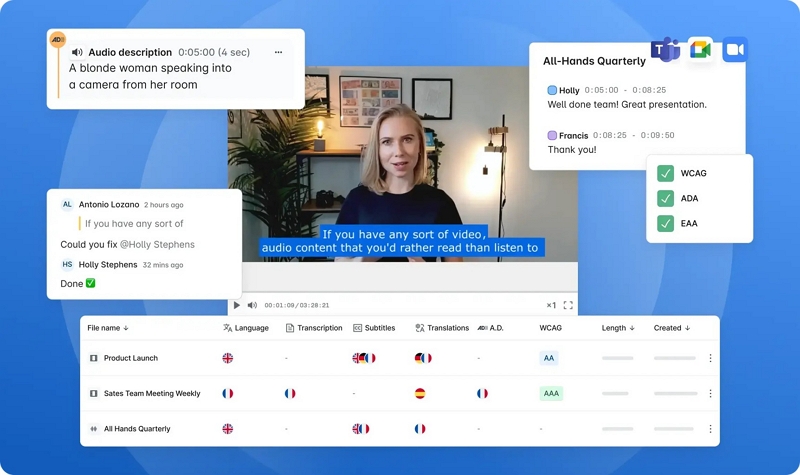
VEED.io's collaborative features make it the natural pick for small teams, multiple editors can jump into the same project, leave comments on subtitle timing, and export together. The subtitle timeline editor gives you precise control, which matters when you're syncing with facial expressions. Dubbing is available but slightly below Mediaio in emotional naturalness. Best for workflows where more than one person touches the translation.
Best for: Teams, collaborative projects, and creators who want quick edits without downloading software
6. Subly - Best for Subtitle Customization
Price: $19/month | Languages: 70+ | Dubbing: No
No dubbing, but Subly's subtitle customisation is the deepest of any tool we tested. You can set per-character colors, animated reveals, and drama-style fonts that actually look native on TikTok. Multi-speaker detection worked correctly on our overlapping dialogue clip, each character's lines were visually distinct. For creators who care deeply about how subtitles look, Subly is worth the $19.
Best for: Creators wanting unique subtitle aesthetics
7. HeyGen - Best for Character Consistency
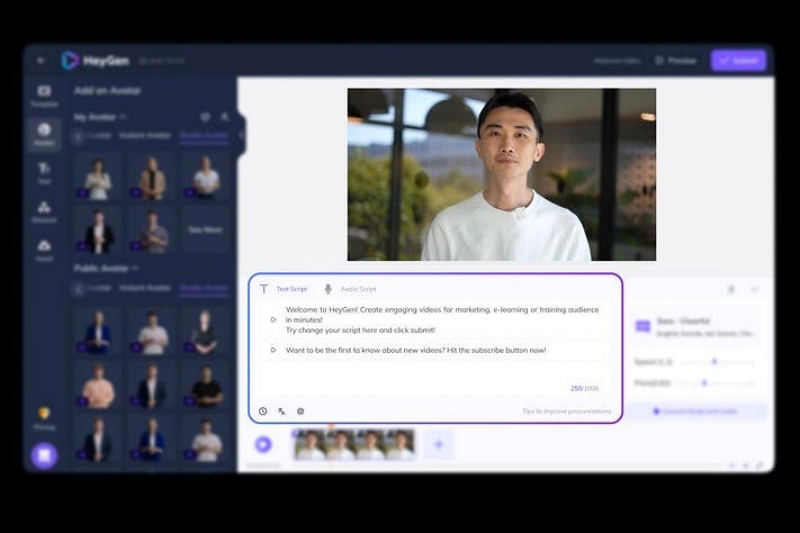
Price: $29/month | Languages: 40+ | Dubbing: Avatar-based
HeyGen uses AI avatars rather than traditional dubbing. The output has a distinctly AI-generated style rather than the feel of a traditional voice dub, which works particularly well for animated videos and creator-focused content. We wouldn't use it for a realistic drama clip, but for explainer-style drama content or creator voiceovers, it's an interesting option. Niche, but genuinely useful in that niche.
Best for: Experimental creators, animated short dramas
Side-by-side comparison
What actually matters in short drama translation
After translating hundreds of clips, these are the practices that consistently improve results, regardless of which tool you use.
Translate the emotion, not the words
"我的心碎了" → "You broke my heart" lands better than the literal "My heart shattered." Tools can assist, but always review emotional peaks manually.
Clean audio before you translate
Every tool we tested performed significantly worse on clips with background music above -20dB. Strip or reduce the music track before uploading.
Localize references, not just words
"chaebol heir" means nothing in Brazil. "Billionaire's son" does. One sentence of context research per clip prevents audience confusion.
Use bold, high-contrast fonts on mobile
White text with a black outline at 10–12% opacity background reads cleanly on every platform. Don't trust default subtitle styles for mobile.
Test with a story post first
Post translated clips to Stories or community before your main feed. Engage with comments to catch cultural misses before they reach your full audience.
Budget for native speaker review on key scenes
AI gets roughly 80–85% right. A 15-minute Fiverr review ($10–15) on confession or climax scenes is the highest-ROI quality check available.
Real Results: Before & After Translation
Case Study:
A short-drama creator, @MiniDramaStudio, tested multilingual translations to see whether global audiences would actually engage with their content. The difference was dramatic.
- Before translation: 50K views with English-only subtitles
- After Spanish + Portuguese translation: 280K views across TikTok and YouTube Shorts
- Revenue increase: 4.2x increase from international ad traffic
Key takeaway: "Mediaio's voice dubbing made our Spanish version feel native. Comments said they forgot it was translated."
The biggest shift came from using voice dubbing rather than relying solely on subtitles. Emotional scenes carried over cleanly, which helped the story land with new audiences. It’s worth considering which of your existing videos would benefit most from a multilingual push.
Common questions
CapCut's translation feature is available on the free tier, but export resolution and some subtitle styles are limited. For 1080p exports and advanced styles, you'll need Pro ($9.99/month). For basic TikTok use, the free tier holds up well.
This is usually a source audio issue, not a translation issue. AI tools calculate timing from speech detection. If your original clip has music mixed into the dialogue track, the tool struggles to find sentence boundaries accurately. Separate your dialogue from background music before uploading, or use VEED.io's timeline editor to manually shift the subtitle block.
Papago is strongest for Japanese accuracy, especially for formal speech levels and keigo. For a fully rendered video output, use Papago's translation as your base text and bring it into Mediaio or VEED.io for the video layer.
For short drama specifically, dubbing tends to outperform subtitles in audience retention, viewers don't have to split attention between reading and watching. However, poor dubbing (robotic, mistimed) hurts more than it helps. If you're using CapCut, stick to subtitles. If you're using Mediaio or Rask AI, dubbing is worth testing on your top-performing clips first.
All tools except Papago handle video files, and most support files up to 2GB. For episodes longer than 15 minutes, Rask AI and Mediaio both offer batch processing. Processing time increases significantly, expect 20–40 minutes for a full episode rather than 5–10 minutes for a short clip.
Bottom line
Short drama translation is not a problem you solve once, it's a workflow you refine per clip, per language, per emotional register. The tools that work best understand that emotional timing matters as much as word accuracy.
For most independent creators, the practical path is: CapCut for free, frictionless subtitle jobs. Mediaio when you need dubbing or emotional accuracy that CapCut can't deliver, and Papago as a translation reference layer for any Asian-language content. That combination covers 90% of short drama use cases without overspending.
If you're monetizing heavily or handling client work, Rask AI's dubbing quality is a genuine step up. Budget for native speaker review on your highest-stakes clips, AI translation has improved dramatically, but human nuance on a pivotal scene still makes a measurable difference in viewer response.