



Want to translate videos from Portuguese to Spanish? Translating a video involves more than just changing the captions. It may be necessary to translate the entire audio into Spanish, record a voiceover that sounds natural, or carefully edit the subtitles to match the speaker's tone. The translation method you choose depends on your needs and cases.
To translate a funny YouTube Portuguese video into Spanish, YouTube audio-translation feature works well enough. However, when you need to translate your new Portuguese product video into Spanish for your business partners, AI tool like Mediaio Video Translator or Google Translate is recommended. Now, let’s take a closer look at each method.
Translate Portuguese Videos to Spanish: Way Overview
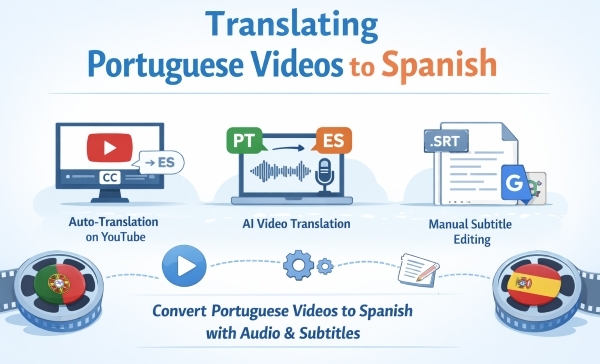
When translating Portuguese videos into Spanish, each method has its unique features. Some ways allow you to translate both the voice and subtitles with manual editing while others only enable you to translate CC with one click. The table below presents 3 common ways for video translation, from Portuguese to Spanish.
How to Translate Video Audio from Portuguese to Spanish
Translating video audio is more complex than simply converting subtitles. It requires accurate speech recognition, contextual translation, and natural voice delivery. A professional AI-based tool is necessary for creators who would like their work to sound natural in a different language. Mediaio Video Translator is a translation program that is intended to manage this entire process under a single platform. It does not just convert the subtitles using text, but processes Portuguese audio, converts it to an editable text, intelligently translates it. It is capable of creating a synchronized Spanish voiceover. This is particularly handy with creators looking for videos to be fully localized and not just captions that are translated.
For content creators, educators, and businesses looking to expand their audience into the Spanish-speaking markets, a combination of audio translator such as Mediaio, provides an efficient and convenient tool. It combines several tools that would have otherwise needed to be installed, like transcription software, translation services, and voice recording, and puts them all in a single platform.
How to Translate Portuguese Videos to Spanish with Mediaio
Step 1. Go to Mediaio Video Translator on your browser and sign in with it.
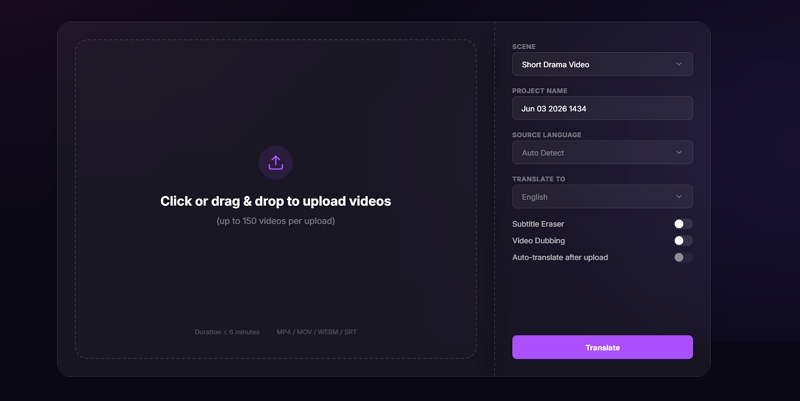
Step 2. Add the video you want to translate by manual selection or drag-and-drop.
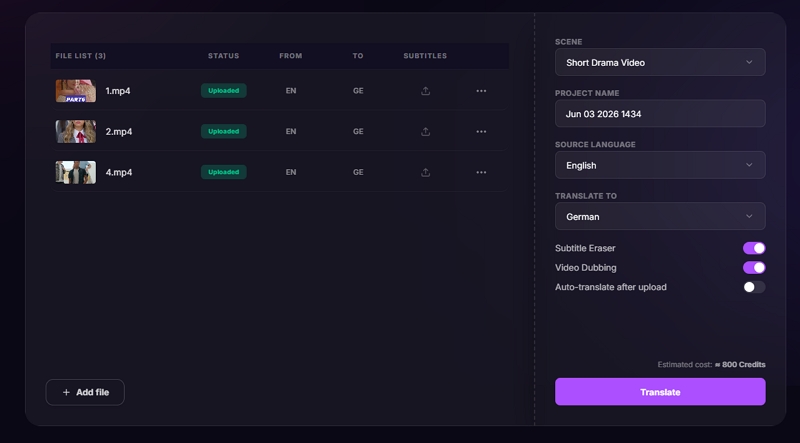
Step 3. Adjust the translation settings, such as the output language and the video scenario.
Step 4. Preview the translated video. You can change the subtitle style, redub the audio and more to polish your videos.
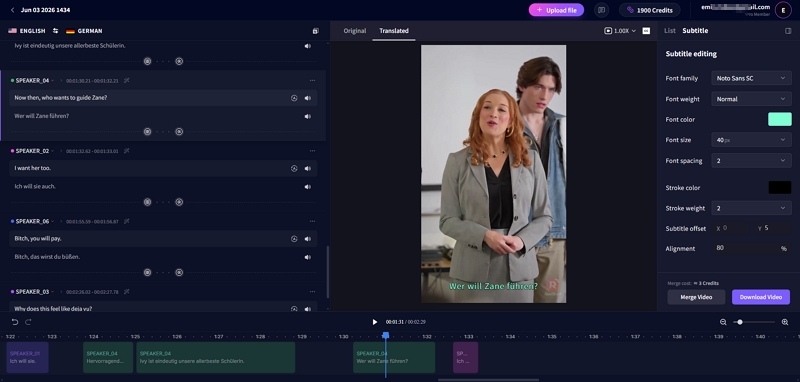
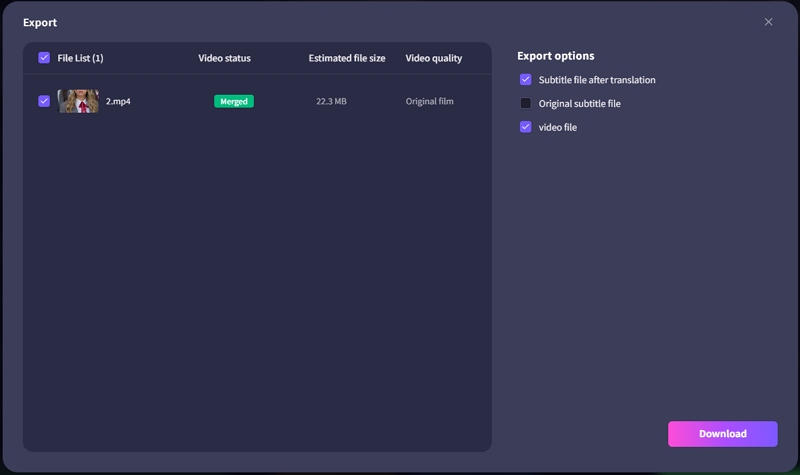
Step 5. Hit Merge and then download the videos.
How to Translate Video Subtitle from Portuguese to Spanish
Have you ever viewed a Portuguese video and never understood due to the subtitles being in a language that you did not feel comfortable speaking? It is frustrating because you are just about to get the content when a few language differences prevent you from grasping the content.
AI-powered solutions provide accurate and quick subtitle translation into Spanish when working with Portuguese videos. These methods instantly sync translated subtitles with the video, eliminating the need to manually rewrite each line. This enables rapid changes to timing, phrasing, or readability. That guarantees the fact that, whether for expert or casual viewers, the Spanish captions will seem natural and simple to understand. The methods below show practical ways to get precise results with minimal effort.
Various methods are reliable, depending on whether one wishes to get quick results or have complete control over editing.
Way 1. Use YouTube Auto-translation
When the video is uploaded to YouTube and has Portuguese captions, one can utilize the auto-translation feature that is available on YouTube to provide the fastest solution. It allows the viewers to translate the subtitles instantly in real time as the playback continues.
Practically, this approach is effective when engaging in general talks and daily material. Since the Spanish language is linguistically related to Portuguese, the AI of YouTube can sometimes give understandable results. But in case the video contains academic terms, industry-specific lingo, or local jargon, the translation can sound a bit mechanical.
Highlights of This Way
- Free to use.
- Instant subtitle translation.
- Integrated into YouTube, with no software installation required.
- Support multiple global languages.
Steps to Translate YouTube Portuguese Videos to Spanish
- Open the Portuguese video on YouTube with CC.
- Click the Settings (⚙️) icon and enable Subtitles/CC.
- Select Auto-translate.
- Choose your preferred target language, i.e., Spanish.
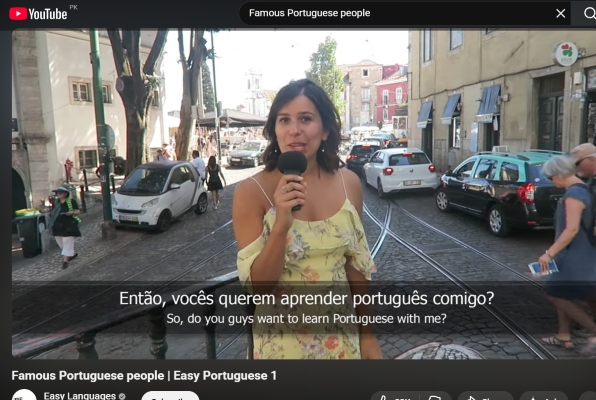
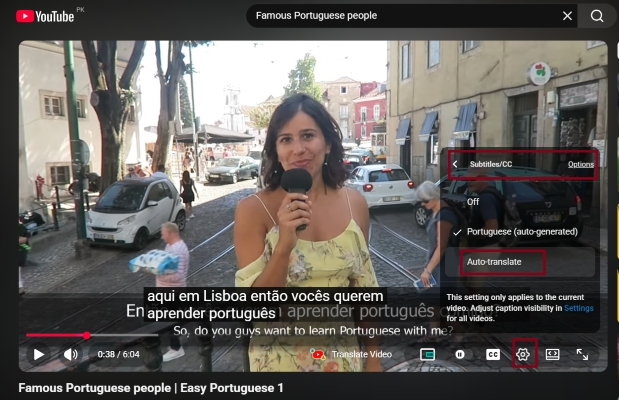
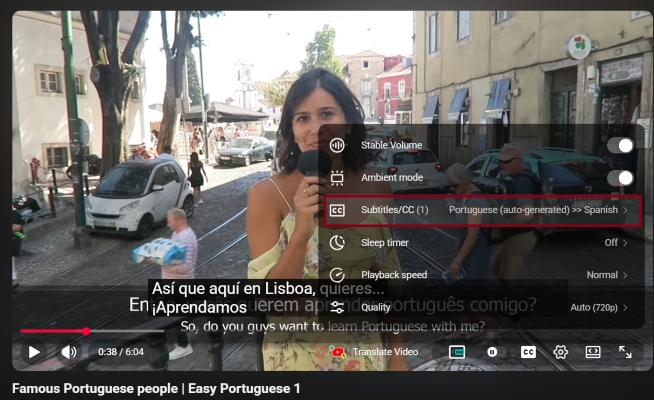
The translated subtitles will appear automatically.
Way 2. Translate with Mediaio Video Translator
Mediaio Video Translator offers a more advanced solution to users who require more accuracy and greater editing capabilities for subtitles. It not only lets you upload a video or a subtitle file and create translations in AI mode but also provides you the transcription feature.
Using Mediaio can minimize literal translation mistakes and gives a more natural flow of the sentence. When creating content or teaching a course, Mediaio’s translation feature is a significant quality improvement since one can edit subtitles prior to an export, such as changing the subtitle color and text size.
Highlights
- AI-based subtitle transcription and translation.
- Editable before export.
- Support more than 100 languages successfully.
- Maintain subtitle timing synchronization.
- It provides free trials and paid plans.
- Support common formats, like MP4, MOV, MKV, etc.
Way 3. Use Google Translate
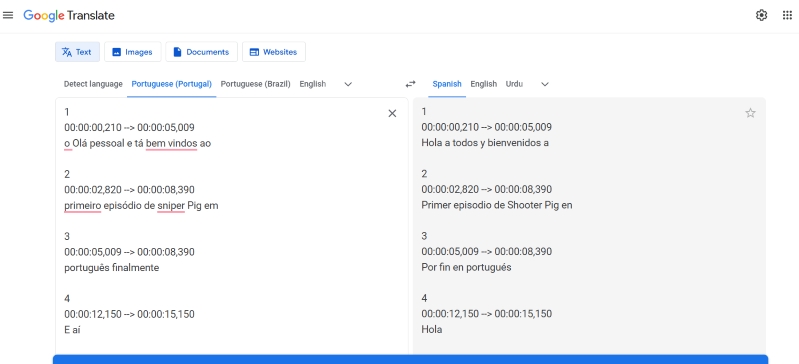
When working with existing subtitle files like SRT or VTT, it becomes clear how Google Translate handles Portuguese-to-Spanish conversion efficiently. You just need to simply copy and paste the subtitles and select the language, and it will take care of the rest of the translation for you. If you are the video creator and don’t require high translation accuracy, this is a good method to use.
Highlights
- Free and accessible.
- Full control over subtitle wording.
- Ideal for permanent subtitle replacement.
- Allow proofreading before upload.
- Preserve original timing structure.
- Support more than 100 languages.
Steps to Use Google Translate to Translate Videos from Portuguese to Spanish
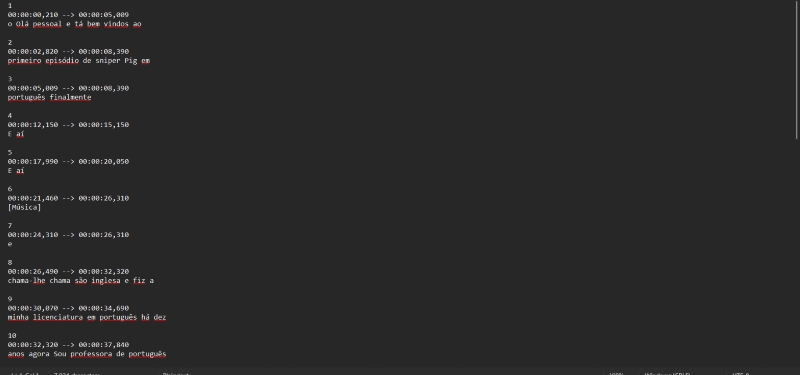
- Download the original Portuguese subtitle file (SRT/VTT) via transcription tool, i.e., Mediaio Video Translator.
- Open the subtitle file and copy only the text.
- Paste the text into Google Translate and set the target language as Spanish.
- Copy the Spanish text from Google Translate and paste it into the original subtitle file.
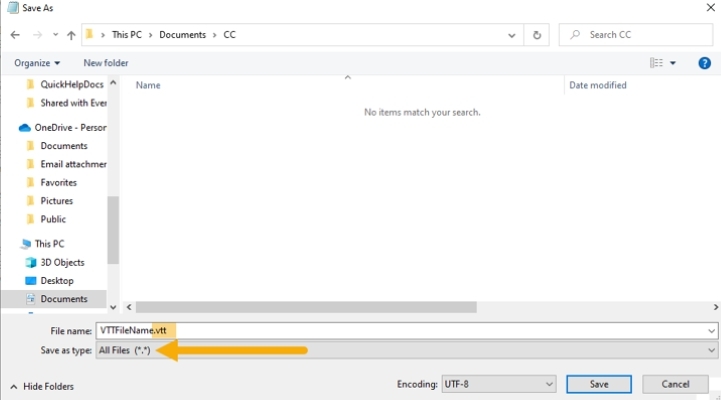
And now you can insert the subtitle file back to your video. Here we will consider YouTube.
When you have your own channel on YouTube, you can upload the translated SRT/VTT file to YouTube Studio:
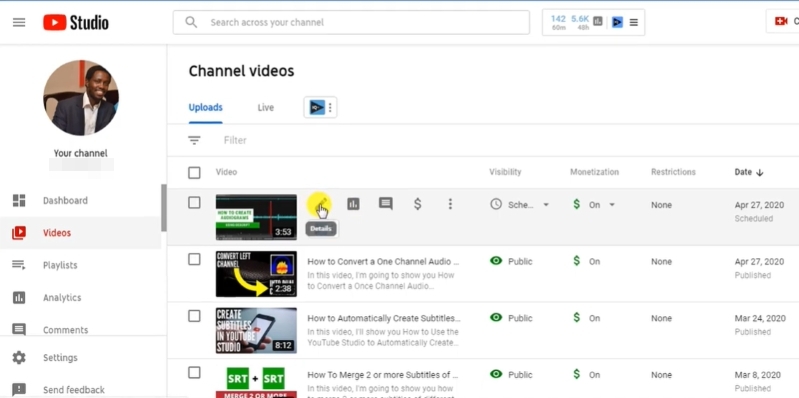
- Go to YouTube Studio.
- Click Subtitles and select your video.
- Open more options from the details of the video.
- Select the original language of the video.
- Click upload subtitles and choose with timing.
- Finally, upload your translated CC file, preview, and click Publish.
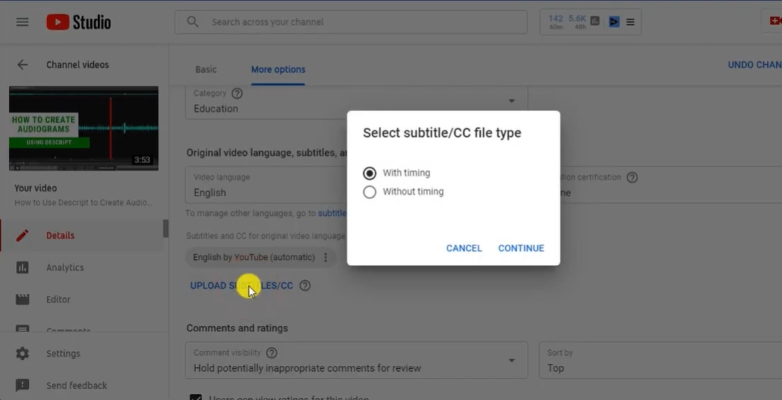
This ensures the Spanish subtitles sync perfectly with the video while preserving the original timing.
Final Words
Portuguese videos can be translated into Spanish using both audio and subtitle conversion according to your requirements. Simple features such as the YouTube auto-translation can be used in situations where one wants to watch a video casually, whereas AI-based features like Mediaio provide greater accuracy and accessibility. In case you want complete control over the wording of subtitles, it is also a viable option to translate manually using Google Translate. The ideal process is always based on your working workflow, the accuracy is pre-determinable, and the content intended.