



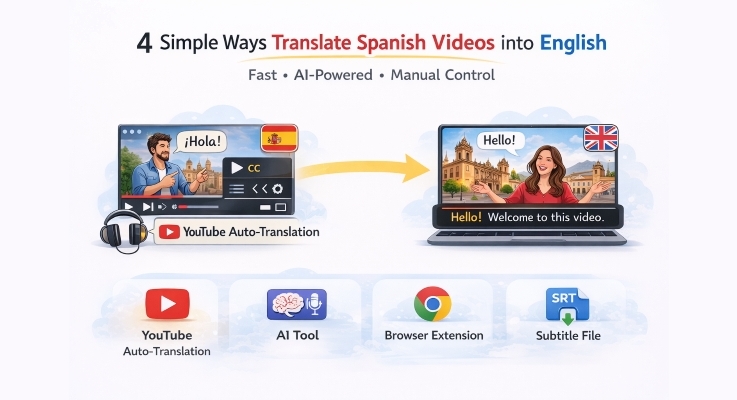
Have you ever come across such an amazing video in Spanish, and then you could not get a single word? It is either a tutorial, a music video, or even educational material, but language barriers may not allow you to enjoy it or learn. Thankfully, it’s easy to translate videos. Auto-translation on YouTube and AI tools like Mediaio Video Translator have now made it possible to translate Spanish videos to English with high efficiency and speed. Browser extensions like Transmonkey can translate subtitles in real-time. If you want more control over your video captions, manual tools like Google Translate can help. It is simple to move beyond languages regardless of your intent by using the translation tools, whether it is just watching, learning, or creating some content. Now, let’s dive into each tool and method.
Translate Spanish Videos to English Using YouTube Auto-Translation
Seeing a really interesting YouTube Spanish video and don’t know what was being said? Don’t worry, if the video comes with CC, the Spanish subtitles can be automatically translated to English with a few clicks by using the auto-translation tool built into YouTube. YouTube has speech recognition technology to automatically generate captions based on the original subtitleand supports more than 100 languages, including English. This way is fast, free, and with no downloads needed, which is suitable for the casual viewer, student, and researcher seeking fast results.
Steps to Translate YouTube Spanish Videos to English
- Open the Spanish-language video on YouTube.
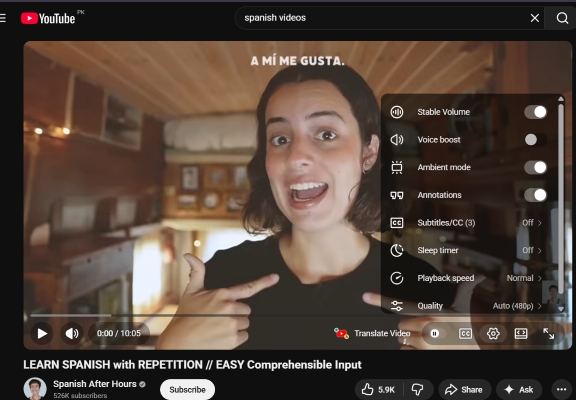
- Click the Settings icon in the video player.
- Select Subtitles/CC and enable captions.
- Select auto-translate and then choose English from the language list.
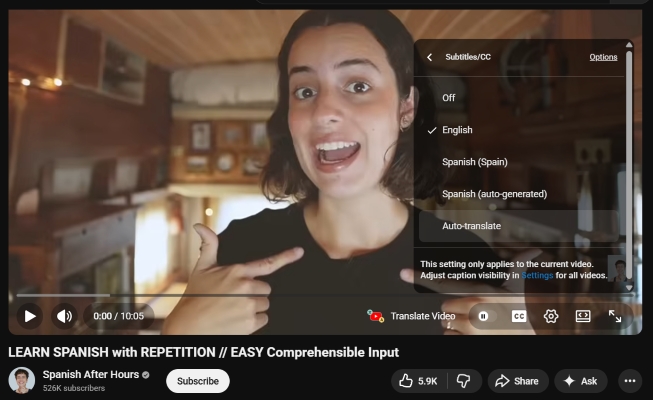
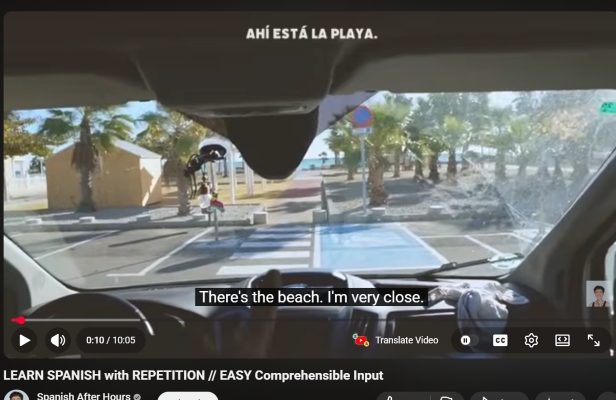
The video will now have English subtitles automatically displayed.
Translate Spanish Videos to English with Mediaio Video Translator
Mediaio Video Translator offers a high-tech AI-based translator to translate Spanish videos into English. It can translate both subtitles and voice in the videos. Whether or not your video has subtitles, Mediaio can help you translate it. You can choose to add subtitles first and then translate, or directly convert the Spanish audio into English. It supports over 100 languages and offers AI-generated voices or voices that match the original audio. Mediaio also offers subtitle editing features, allowing you to delete, add, merge or export subtitles. This makes Mediaio perfect for content creators, marketers, educators, and companies that desire high-quality, accurate, and editable videos that are translated.
How to Translate Spanish Videos to English with Mediaio Video Translator
Step 1. Access Mediaio Video Translator online and sign in to your account.
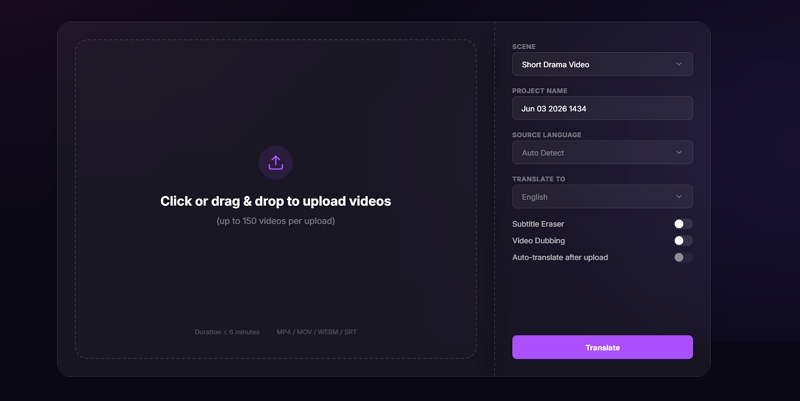
Step 2. Upload the video you want to translate.
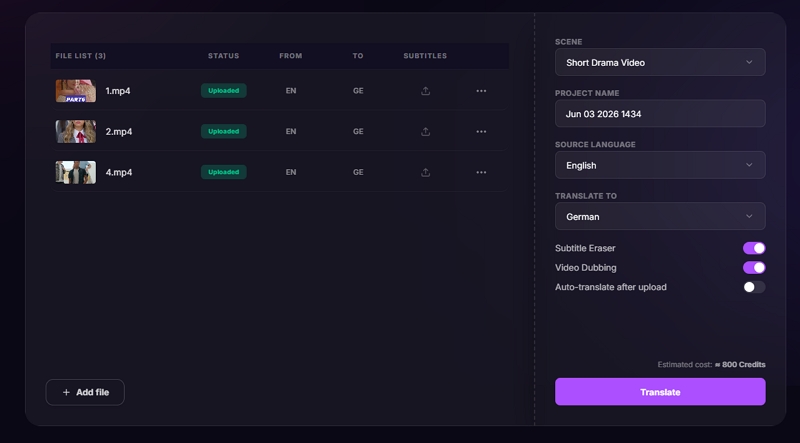
Step 3. Configure the translation settings, including the target language and the video scenario, in the right-hand panel.
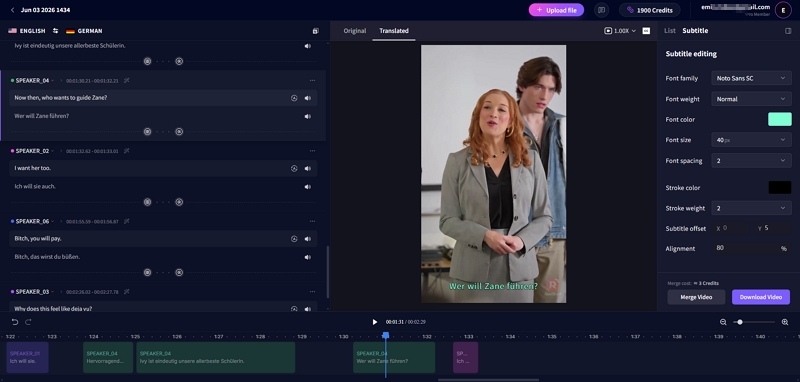
Step 4. Preview the translated video. If necessary, customize the subtitle style, redub the audio, or make other edits.
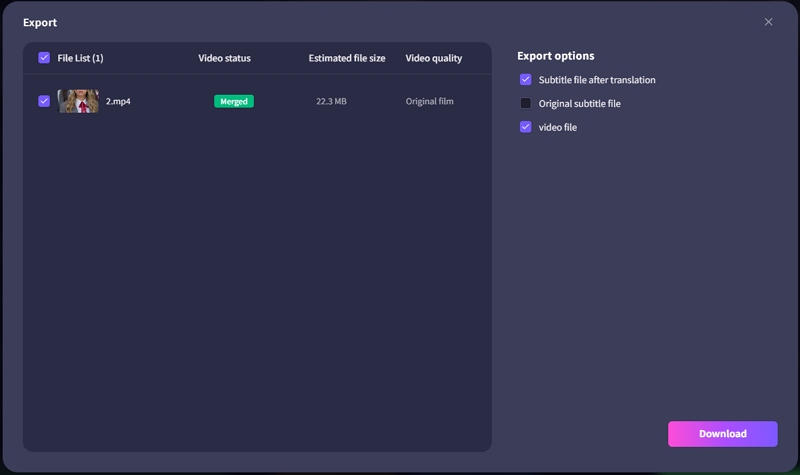
Step 5. Click Merge, then select Download to save the translated video to your device.
Translate Videos from Spanish to English via Transmonkey Chrome Extension
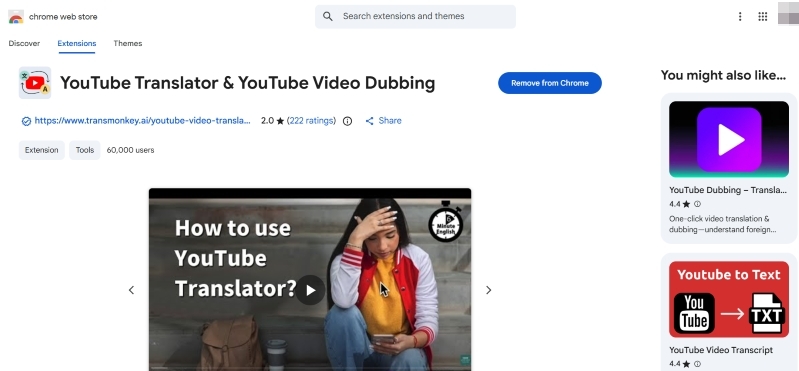
This method is for YouTube videos with CC only and is a stronger alternative to the built-in auto-translation feature. The Transmonkey Chrome Extension can translate both the subtitles and the audio in YouTube videos, whereas the built-in option can only translate the CC. The extension will identify the language of the video once it is installed and add subtitles in the languages you choose. To sum up, if the YouTube auto-translate option doesn’t work, or if you want both CC and audio translated directly from Spanish to English, you can try this method.
Guide to Translate Videos from Spanish to English for Free
- Install the Transmonkey Chrome Extension from the Chrome Web Store.
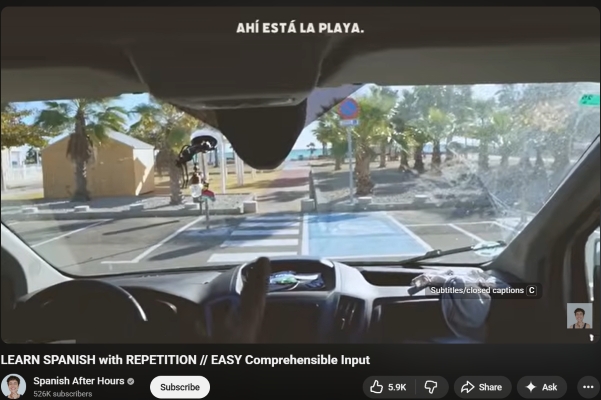
- Access the YouTube Spanish video that you want to translate in Chrome.
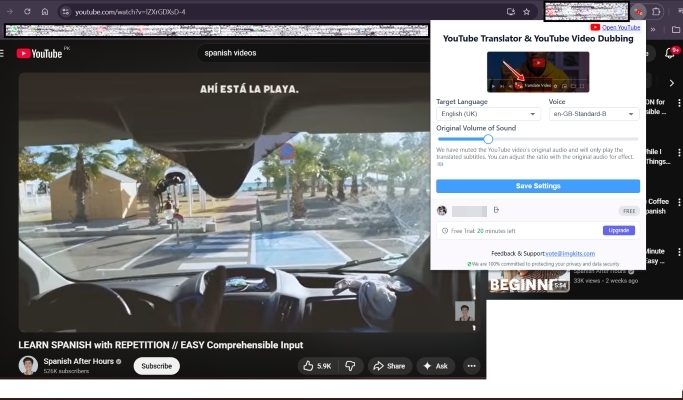
- Activate the extension from your browser toolbar.
- Select English as the target language and click Save Settings.
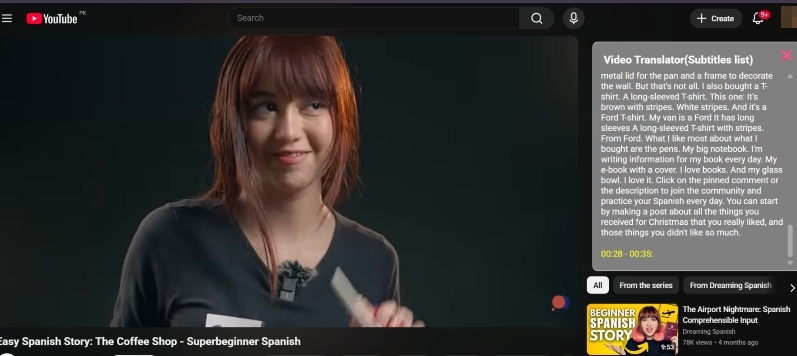
- Play the video and view translated subtitles in real time.
Translate Videos from Spanish to English Using Google Translate
This method has quite a few steps, though video subtitles can be controlled more effectively than on-screen automatic translation with this option. You need to extract your subtitles as a file, translate it with Google Translate, and import the translated file into the video hosting. Therefore, it is recommended to try this method if you have the SRT or VTT file of your video. With the SRT/VTT file, you can maintain the initial timing and replace the Spanish text with captions in English. It will be of use especially to YouTube creators who may require appropriate control of their subtitles or if the user wants to directly replace the video’s subtitles from Spanish to English.
Use Google Translate to Translate Videos from Spanish to English
- Download the original Spanish subtitles in SRT/VTT format using a transcription tool like Mediaio Video Translator.
- Open the subtitle file and copy its text.
- Paste the content into Google Translate and translate it from Spanish to English.
- Copy the translated English text and paste it into a document editor.
- Save the file in .srt or .vtt format by manually editing.
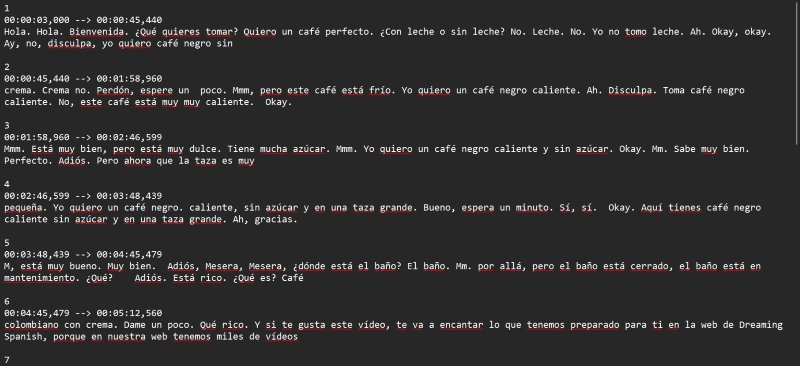
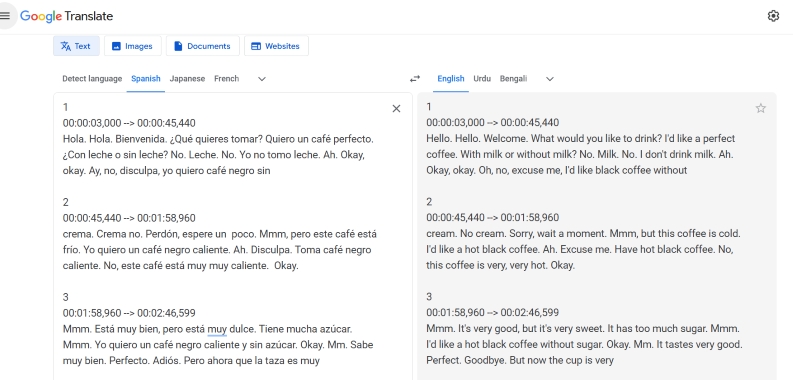
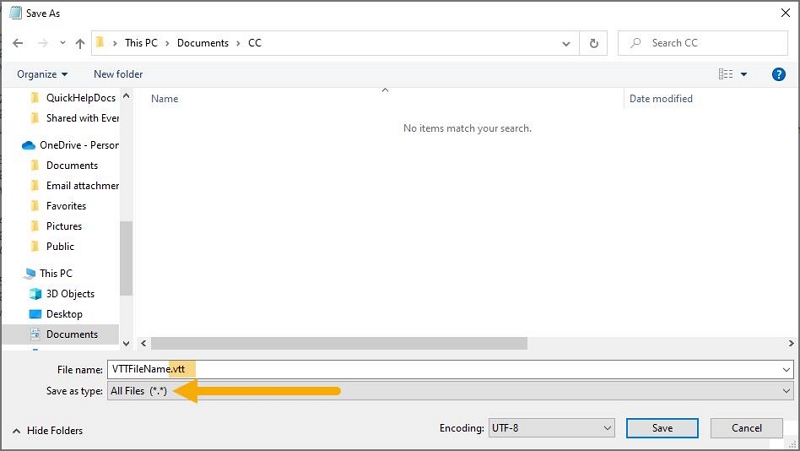
Now, it’s time for you to add the subtitle file to your video. We will take YouTube as an example here.
For YouTube Creators
If you manage your own channel on YouTube, you can upload the translated SRT/VTT file directly to YouTube Studio:
- Go to YouTube Studio.
- Click Content and select your video.
- Open Subtitles from the left menu.
- Click Add Language and choose English (e.g., English – United States).
- Click Add > Upload file. Then, select with timing.
- Finally, upload your translated CC file, preview and click Publish.
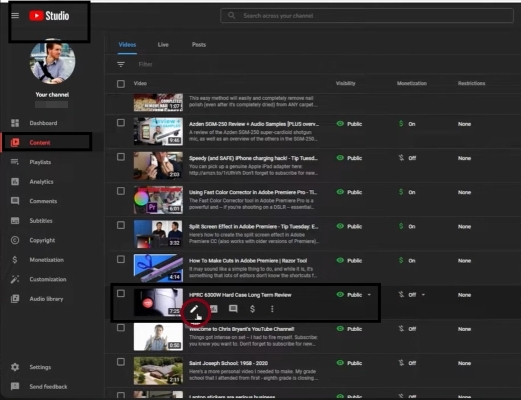
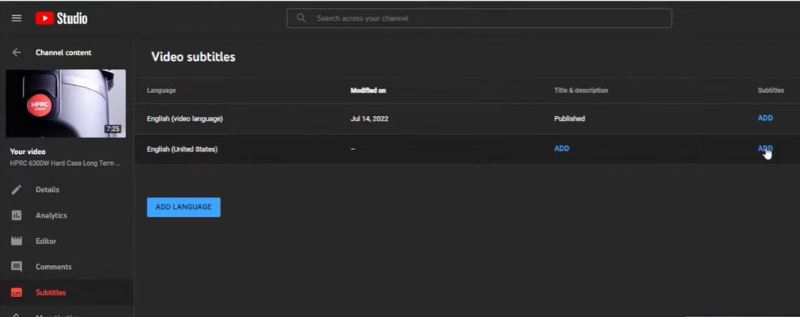
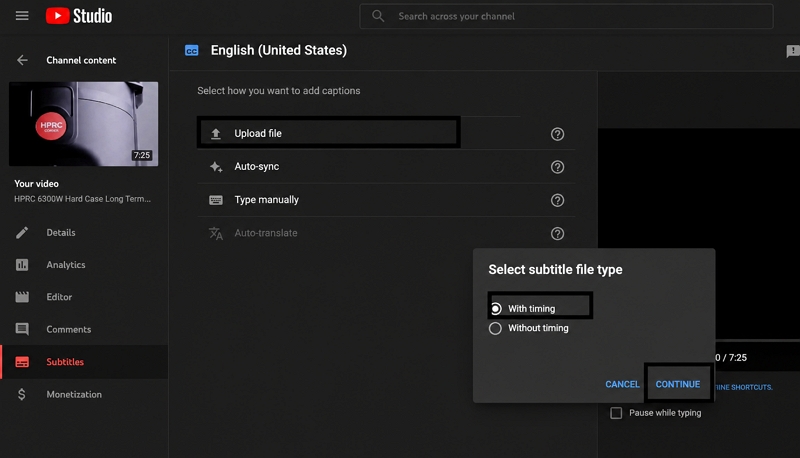
This ensures the English subtitles sync perfectly with the video while preserving the original timing.
Conclusion
It is now simpler than ever to translate a Spanish video into English using a wide range of tools, depending on the intended purpose. For example, YouTube auto-translation is a good solution in case you want to convert the subtitles quickly and easily. To obtain more precise and professional outcomes, Mediaio Video Translator provides all three functions of transcription, translation, and editing through the platform powered by AI.