



Whether you're creating videos for YouTube, TikTok, online courses, or global marketing campaigns, reaching audiences in different languages requires more than simple translation. Choosing the right video localization service can save you time, reduce costs, and improve the viewing experience for your target audience.
Today, video localization solutions generally fall into three categories:
- Free tools: Ideal for beginners or one-time projects, but usually limited to specific tasks like subtitle generation or caption translation.
- AI-powered tools: Designed to automate the entire localization workflow, including transcription, translation, subtitle generation, and AI dubbing, these tools offer a fast and cost-effective solution for creators and businesses.
- Human localization services: Which deliver the highest level of linguistic and cultural accuracy for enterprise, media, and high-impact commercial projects.
In this guide, we'll compare these options, explain their strengths and limitations, and help you quickly find the best video localization service for your needs without wasting time testing dozens of tools.
Free Video Localization Services (Best for Subtitles & Captions Only)
Free video localization services offer a practical starting point for multilingual accessibility through subtitles and captions. They help expand global reach without increasing localization costs.
1. YouTube Auto Captions
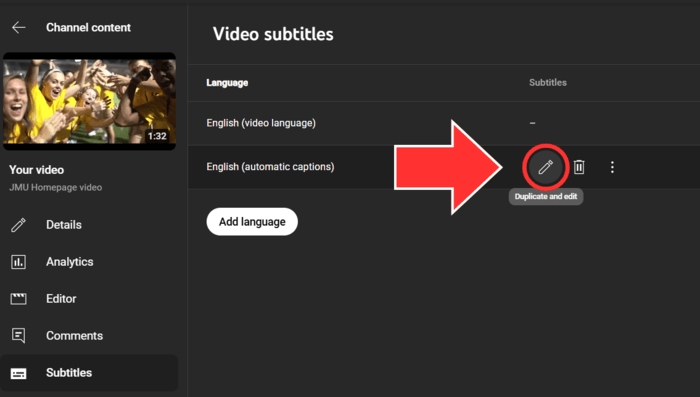
Built into YouTube Studio, YouTube Auto Captions automatically creates editable subtitles for videos in more than 70 languages. Its biggest advantage is workflow simplicity, allowing subtitles to be created, reviewed, and published without leaving YouTube Studio.
Best For: Improving accessibility for existing international viewers on YouTube through translated captions.
Limits and Disadvantages
2. CapCut Auto Captions
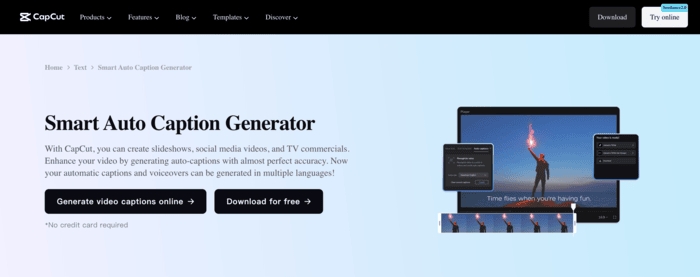
Instead of handling subtitles separately, CapCut Auto Captions lets creators edit them alongside the video timeline. AI caption generation, editing, styling, translation, and video refinement all happen on the same timeline, making revisions faster and more consistent. This makes this approach especially effective for preparing social media videos before publishing.
Best For: Creating multilingual subtitles for short-form videos without investing in a complete localization workflow.
Limits and Disadvantages
3. Descript (Free Plan)
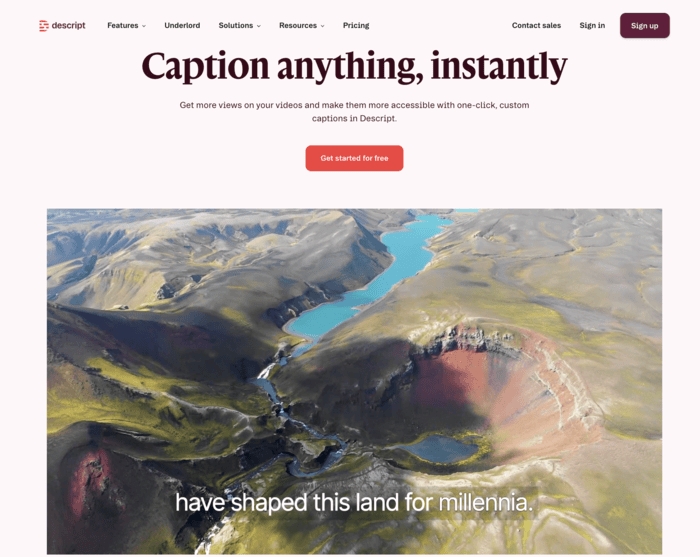
Descript Free Plan brings AI transcription, captions, and video editing into a transcript-first workflow. Instead of editing on a timeline, creators work directly from the transcript, making updates easier to apply across captions and spoken content.
Best For: Teams that need accurate transcripts and translated captions as part of their content editing process.
Limits and Disadvantages
Comparison Table of These 3 Free Localization Tools
Although all three support subtitle creation, each is designed for a different localization workflow. Use the comparison below to quickly identify which tool best matches your localization needs.
Best AI Video Localization Services (Full Workflow Automation)
AI video localization services reduce manual work by automating the key stages of multilingual video production. They reduce production time and costs without requiring large localization teams.
1. Mediaio Video Translator
Mediaio Video Translator is designed to keep the entire localization process connected. Instead of treating subtitles, AI dubbing, voice editing, and synchronization as separate tasks, it brings every major stage into one workflow. This makes it a practical AI alternative for creators and businesses exploring scalable video localization services without relying on multiple applications.
What AI tools cover in the full workflow
The scope of automation differs across AI localization tools; some focus solely on subtitle translation. Before choosing a platform, consider how much of the localization workflow it automates.
Complete Localization Workflow
Workflow |
Feature |
Supported |
Upload |
Bulk Video Upload |
Yes |
Translate |
Translate subtitles |
Yes |
Dub |
Multi-speaker recognition |
Yes |
AI cloning |
Yes |
|
AI dubbing preserves emotions and feelings. |
Yes |
|
Automatic alignment of voiceover and subtitles |
Yes |
|
Lip-syncing |
No |
|
Preview |
Translated video preview |
Yes |
Sentence-by-sentence preview |
Yes |
|
Edit |
Speaker voice adjustment |
Yes |
Redubbing by editing the text |
Yes |
|
Subtitle editing |
Yes |
|
Customize subtitle style |
Yes |
|
Batch text replacement and then re-dubbing |
Yes |
|
Subtitle remover |
Yes |
|
Adjusting the voiceover speed |
Yes |
|
Export |
Merge videos then export |
Yes |
Compress video then export |
Yes |
|
Only Export |
Yes |
Key Insight: Unlike AI tools that automate only part of localization, this workflow supports refinement after translation, where most production time is typically spent.
Best for
- Localizing complete videos from a single platform
- Global short drama distributor
- Creators producing multilingual content at scale
- Marketing, training, and educational videos requiring video dubbing services
- Teams looking to minimize manual localization steps
How to Localize Videos with Mediaio Video Translator
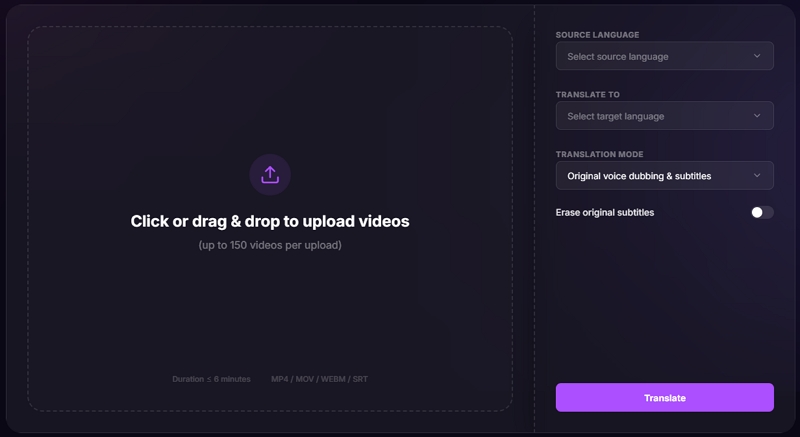
Step 1: Open Mediaio Video Translator, sign in, and upload the videos to be localized. Batch upload supports processing multiple videos together, making large localization projects easier to manage.
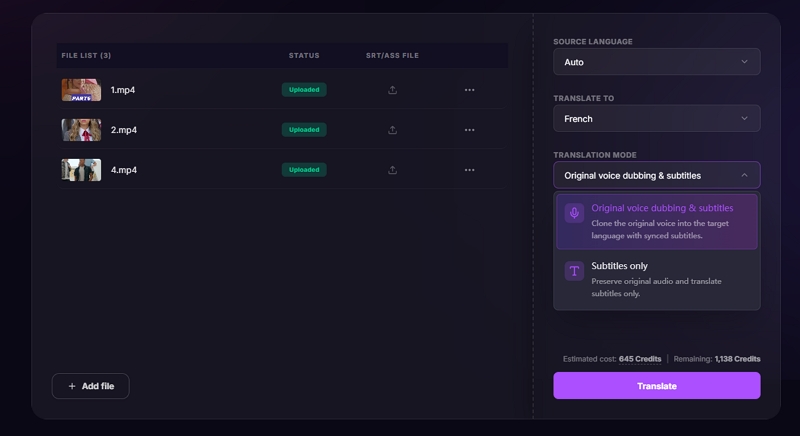
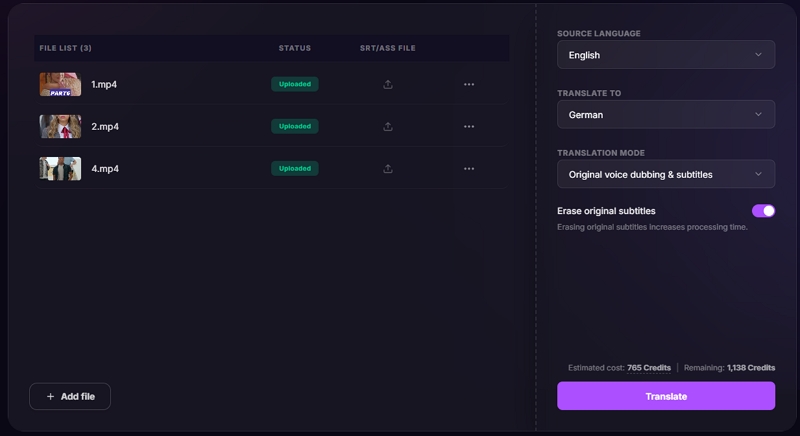
Step 2: Enter the project details, choose the source and target languages, and enable Video Dubbing & Subtitles or Subtitles Only. And you can set to remove the original subtitles. Then click auf “Translate” button.
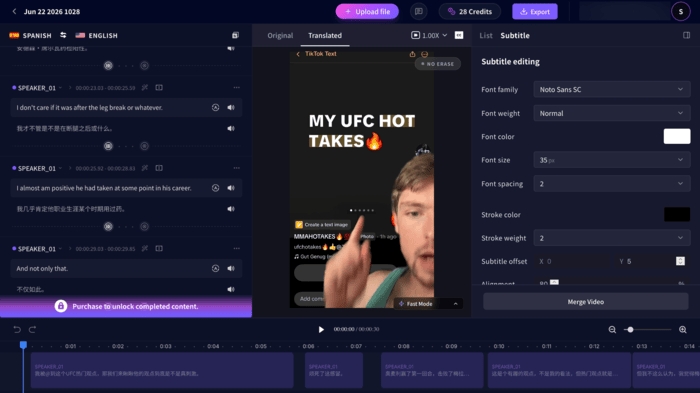
Step 3: Verify that the subtitles and dubbed audio stay aligned before final export. Subtitle presentation could be refined without switching to a separate editing tool. Subtitle edits could be applied before generating updated voiceovers, making iterative revisions much faster.
Step 4: Complete the final review, then export the localized video with the desired output settings. Subtitle synchronization remained intact throughout the export process, producing videos that required little to no additional post-processing.
Testing Insight: The biggest advantage wasn't translating a single video. It was making large multilingual projects easier to keep organized from draft to final export.
Pros and Cons
Price:
- Free Trial: 200 credits for free.
- Start at $35.95/30 mins
Note: Every paid plan includes AI dubbing, subtitle translation, built-in editing, and export without watermarks. Annual plans lower the effective monthly cost by approximately 20%.
2. Rask AI
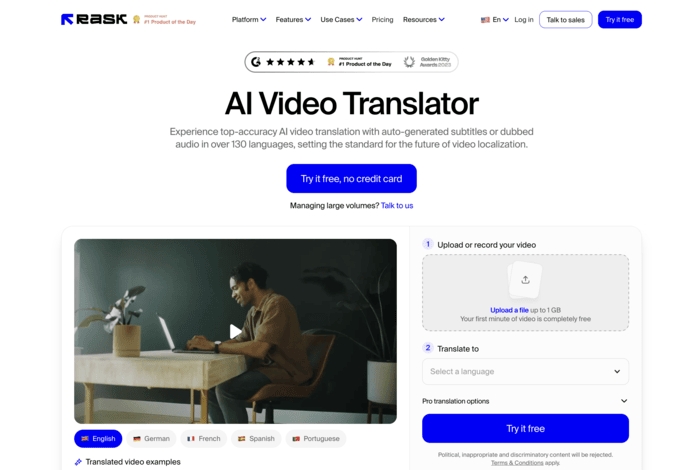
Rask AI approaches video localization from a voice-first perspective. This makes it one of the strongest AI alternatives to traditional professional video dubbing services for multilingual content. Its workflow is designed around multilingual AI dubbing, helping preserve natural conversations and speaker identities across different languages.
What AI tools cover in the full workflow
AI localization platforms differ in the stages they automate. Some focus mainly on subtitle translation, while others extend into multilingual dubbing, speaker recognition, and voice adaptation to create a more natural viewing experience.
Complete Localization Workflow
Workflow |
Feature |
Supported |
Upload |
Bulk Video Upload |
No, only one video |
Translate |
Translate subtitles |
Yes |
Dub |
Multi-speaker recognition |
Yes |
AI cloning |
Yes |
|
AI dubbing preserves emotions and feelings. |
Yes |
|
Automatic alignment of voiceover and subtitles |
Yes |
|
Lip-syncing |
Yes |
|
Preview |
Translated video preview |
Yes |
Sentence-by-sentence preview |
Yes |
|
Edit |
Speaker voice adjustment |
No |
Redubbing by editing the text |
Yes |
|
Subtitle editing |
Yes |
|
Customize subtitle style |
Yes |
|
Batch text replacement and then re-dubbing |
No |
|
Subtitle remover |
No |
|
Adjusting the voiceover speed |
No |
|
Export |
Merge videos then export |
No |
Compress video then export |
No |
|
Only Export |
Yes |
Key Insight: The workflow becomes increasingly valuable as the number of speakers grows, helping maintain consistent voice assignments without creating separate dubbing tracks for each speaker.
Best for
- Interview and podcast localization with multiple speakers
- Educational and training videos requiring natural AI dubbing
- Businesses replacing repetitive video dubbing services with AI-assisted localization
- Dialogue-driven videos where natural voice continuity matters
Pros and Cons
Price
- Free Trial: 3 Minutes for free.
- Start at $60/25 mins
Note: Paid plans include AI transcription, dubbing, subtitles, and an integrated editor. Advanced plans offer higher usage limits alongside enterprise functionality. Annual plans offer savings of up to 40%.
3. HeyGen
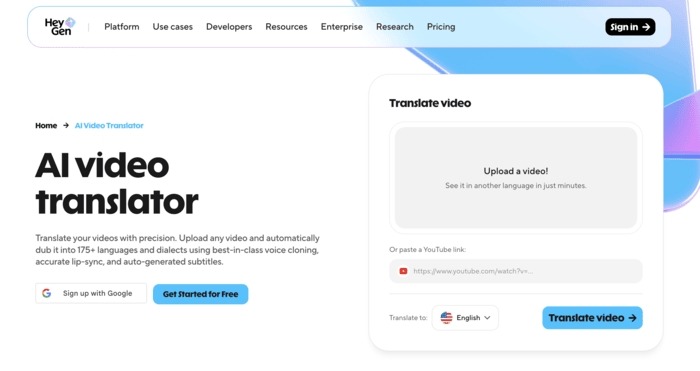
HeyGen approaches video localization from a presentation-first perspective. It transforms a single presenter video into multiple language versions without requiring new recordings. Instead of only translating speech, it recreates presenter-led videos for multilingual audiences. This makes it especially suitable for businesses expanding their media localization services across marketing, training, and customer communications.
What AI tools cover in the full workflow
Different AI localization platforms prioritize different experiences. While some focus on subtitles or AI dubbing, HeyGen extends localization to include AI presenters, lip-syncing, and multilingual video delivery.
Complete Localization Workflow
Workflow |
Feature |
Supported |
Upload |
Bulk Video Upload |
No, only one video |
Translate |
Translate subtitles |
Yes |
Dub |
Multi-speaker recognition |
Yes |
AI cloning |
Yes |
|
AI dubbing preserves emotions and feelings. |
Yes |
|
Automatic alignment of voiceover and subtitles |
Yes |
|
Lip-syncing |
Yes |
|
Preview |
Translated video preview |
Yes |
Sentence-by-sentence preview |
No |
|
Edit |
Speaker voice adjustment |
No |
Redubbing by editing the text |
No |
|
Subtitle editing |
No |
|
Customize subtitle style |
No |
|
Batch text replacement and then re-dubbing |
No |
|
Subtitle remover |
Yes |
|
Adjusting the voiceover speed |
No |
|
Export |
Merge videos then export |
No |
Compress video then export |
No |
|
Only Export |
Yes |
Key Insight: The biggest advantage appears when the speaker remains visible on screen, as synchronized lip movements and consistent presentation help translated videos feel more natural across languages.
Best for
- Product demonstrations and software walkthroughs
- Marketing campaigns requiring multilingual presenter videos
- Corporate training and internal communications
- Businesses creating localized presenter-led content at scale
Pros and Cons
Price
- Free Trial: 1 Minute per video, 3 videos per month.
- Start at $29/30 mins
Note: Annual billing helps reduce monthly costs. Paid plans include AI avatars, multilingual voice cloning, lip-sync translation, and team collaboration features. Business and Enterprise plans add advanced security, integrations, and team collaboration features.
Best AI Tools Comparison Table
While all three platforms use AI to localize videos, each is designed for a different localization workflow. The comparison below outlines each platform's strengths, making it easier to choose the right solution for your production workflow.
Human Video Localization Services (High Quality / Enterprise Grade)
When accuracy, cultural nuance, and brand consistency are essential, human video localization services remain the preferred choice. Their human expertise helps ensure accuracy, cultural adaptation, and consistent brand messaging across multilingual content.
Where AI improves efficiency, human localization adds the cultural insight and linguistic precision needed for high-quality results.
Where human services outperform AI:
1. Lionbridge
Lionbridge approaches enterprise video localization by pairing human linguistic expertise with scalable localization workflows, helping organizations maintain cultural accuracy across global markets. As an established video localization company, it specializes in helping organizations maintain consistent brand messaging, regulatory compliance, and cultural relevance across global markets.
Pros and Cons
Service and Price
Note: Quotes are customized based on your language pair, content volume, turnaround, and project needs. Specialized multimedia and enterprise localization services are quoted individually.
2. TransPerfect
TransPerfect approaches enterprise video localization by combining professional linguists, proprietary localization technology, and global project management. Rather than treating translation as a standalone task, it connects video localization with enterprise content and production workflows. This makes it well suited for organizations managing ongoing video localization services across multiple regions and business teams.
Pros and Cons
Service and Price
Note: Rather than treating translation as a standalone service, it integrates multilingual content creation with enterprise workflows and media production.
3. Gengo / Smartling (Translation Platforms)
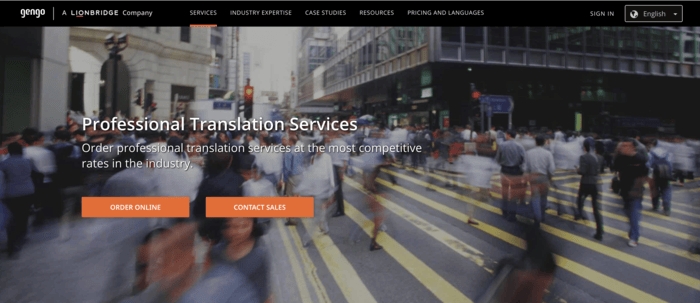
Gengo and Smartling take different approaches to professional translation, each serving a distinct business need. Gengo is best suited for individual translation projects, whereas Smartling is built for teams managing multilingual content at scale. Together, they help businesses scale multilingual translation workflows while maintaining greater control over the localization process.
Pros and Cons
Service and Price
Note: Gengo follows transparent per-word pricing, while Smartling offers customized pricing based on workflow requirements, integrations, and localization scale.
Comparison Table of These 3 Tools
While all three solutions rely on professional human translation, they differ in how localization projects are delivered. Some focus on fully managed enterprise services, while others provide platforms that give businesses greater control over translation workflows.
Which Video Localization Solution Is Right for You? (Free vs AI vs Human)
Each category solves a different localization challenge. Rather than selecting a tool first, determine which category of solution best matches your budget, quality requirements, timeline, and localization objectives.
FAQs
The best solution depends on your budget, content volume, and long-term localization goals. YouTube Auto Captions and CapCut work well for basic subtitle creation, whereas Mediaio, Rask AI, and HeyGen automate the full localization workflow, from translation and dubbing to subtitles and editing. Human localization providers like Lionbridge and TransPerfect are best suited for organizations requiring enterprise-grade quality, cultural adaptation, and long-term localization support.
Today's AI video localization services support high-quality translation, subtitling, and AI dubbing across marketing, training, tutorial, and social media content. However, projects involving legal content, brand messaging, emotional storytelling, or cultural nuance are often better served by human review or professional localization services.
Dubbing services cost depends on the project size, language pair, and production quality. Human dubbing offers the highest level of quality but typically comes at a higher cost than AI video localization platforms. Subtitle-only tools are often free for basic localization needs.